Deploy the Model
The process you have has already been made ready for deployment and execution with Camunda Platform.
The listing under the Processes menu item shows there are already some process definitions deployed. These are demonstration processes that come with the Run edition of Camunda.
Deploy the Process from Camunda Modeler
Head back to the Camunda Modeler.
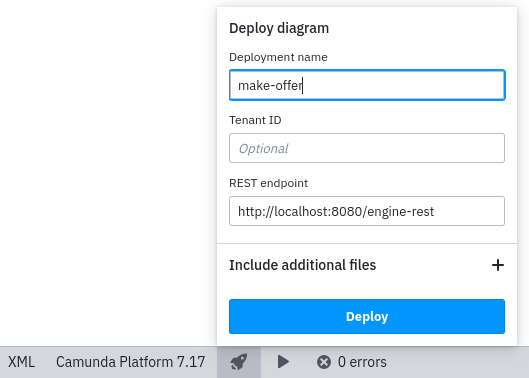
The bottom of the editor has a bar with some utilities.
One of them is a little 🚀 icon that can be used to deploy models to a running Camunda engine.
Click it to open the dialog.
The default values are fine and allow you to deploy the current model to Camunda using the REST API which is also available at localhost on port 8080.
Click the Deploy button.
If deployment is successful, Modeler will temporarily display a notification to confirm.
In the Camunda Cockpit in your browser, refresh the deployments page. There is now an additional process model deployed to Camunda. You can inspect that it is the model you deployed from the Camunda Modeler.