Run the Model
Camunda’s Webapp is a composition of three main applications: the Cockpit for operations, the Admin for administrative setup and Tasklist, for task users performing BPMN User Tasks. You can switch between the sections by clicking the Home icon in the top right.
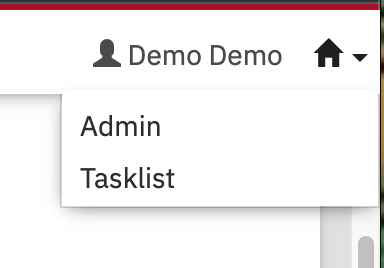
Figure 1. Switching Between Applications in Camunda Webapp
| Pro tip: open Tasklist and Cockpit in separate browser tabs (CTRL/CMD-click in most browsers) to save clicking back and forth. |
Switch to Tasklist. Click the Start process button.

Figure 2. Start a New Process Instance
Select the Make Offer process you just deployed. A form is displayed with some default values. Leave them as is and click Start. The process will be started and you should see a message similar to this in the container log.
Sent offer for 2 participants with total price: 20Cool! You just executed your first BPMN process with Camunda! As you noticed, the process executed straight through.